
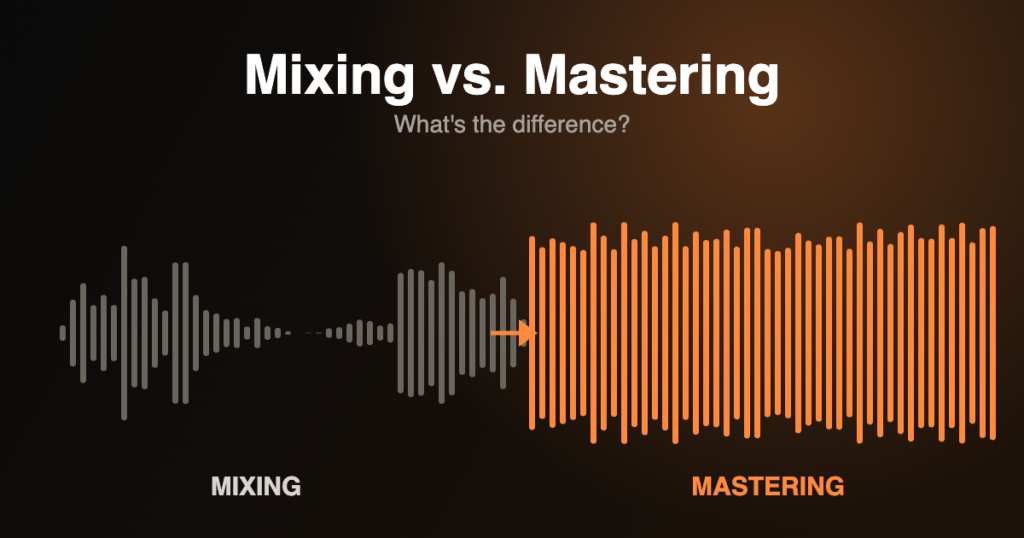
You’ve finished your track. The arrangement works, the sounds are right – but next to your favourite releases it sounds smaller, muddier or quieter. The answer is usually two steps that people often mix up: mixing and mastering. Here’s what each one does, why they’re different, and how to know which one your track needs.
Mixing: making the parts work together
Mixing happens with all the individual tracks (stems) of your song – kick, bass, synths, vocals, effects. The goal is balance and clarity: every element has its own space, nothing fights for the same frequencies, and the track has depth and energy.
Typical mixing work includes:
- Levels and panning – how loud each element is and where it sits in the stereo field
- EQ – cutting mud, carving space between kick and bass, adding air to vocals
- Compression – controlling dynamics so parts sit steadily in the mix
- Reverb, delay and effects – creating space, depth and movement
- Automation – changes over time that keep the track alive from intro to drop
Think of mixing as arranging a room: every piece of furniture in the right place.
Mastering: the final polish
Mastering works on the finished stereo mix – one file, not individual tracks. It’s the last step before release, and it makes your track sound its best everywhere: on club systems, car speakers, headphones and phone speakers.
- Tonal balance – subtle EQ so the track isn’t too bright, dull or boomy
- Loudness – competitive volume without crushing the dynamics
- Stereo image – width where it helps, a solid mono-compatible low end
- Consistency – on an EP or album, every track feels like part of the same release
- Delivery – the right formats and specs for streaming, Bandcamp, vinyl or DJ use
If mixing is arranging the room, mastering is the lighting: it doesn’t move the furniture, but it changes how everything looks.
A note on loudness and streaming
Streaming platforms adjust the volume of tracks so listeners don’t have to keep reaching for the volume knob. Spotify, for example, normalises playback to around -14 LUFS by default. That means making a master as loud as possible doesn’t make it louder on Spotify – it often just makes it sound flatter and more distorted than tracks with healthier dynamics. A good master is loud enough for your genre while keeping punch and clarity.
Do you need both?
- Your track still sounds unbalanced – vocals buried, bass muddy, elements fighting? Start with mixing. Mastering can’t fix a mix that isn’t working.
- Your mix sounds good but not “finished” next to other releases? You need mastering.
- You’re releasing an EP or album? Mastering all tracks together makes them sound like one coherent release.
Many producers mix their own tracks and hand mastering to someone else – a fresh pair of ears and a different listening setup catch things you no longer hear after weeks on the same song.
How to prepare your files
- Export in WAV or AIFF, at the session’s sample rate, 24-bit or 32-bit float – no MP3s
- Leave headroom: no limiter on the master bus, peaks around -6 dB is a good starting point
- For mixing, export each stem from the same start point so they line up
- Send one or two reference tracks you like the sound of
Mixing and mastering at Waveform WebWorks
As a sound engineer, sound designer and DJ, I mix and master electronic music, songs, podcasts and video soundtracks – with the dancefloor and the phone speaker in mind. Everything can be done remotely: send your files and references, get a first version, refine it together, and receive final files in every format you need. More about my media services or get in touch for a free first chat.